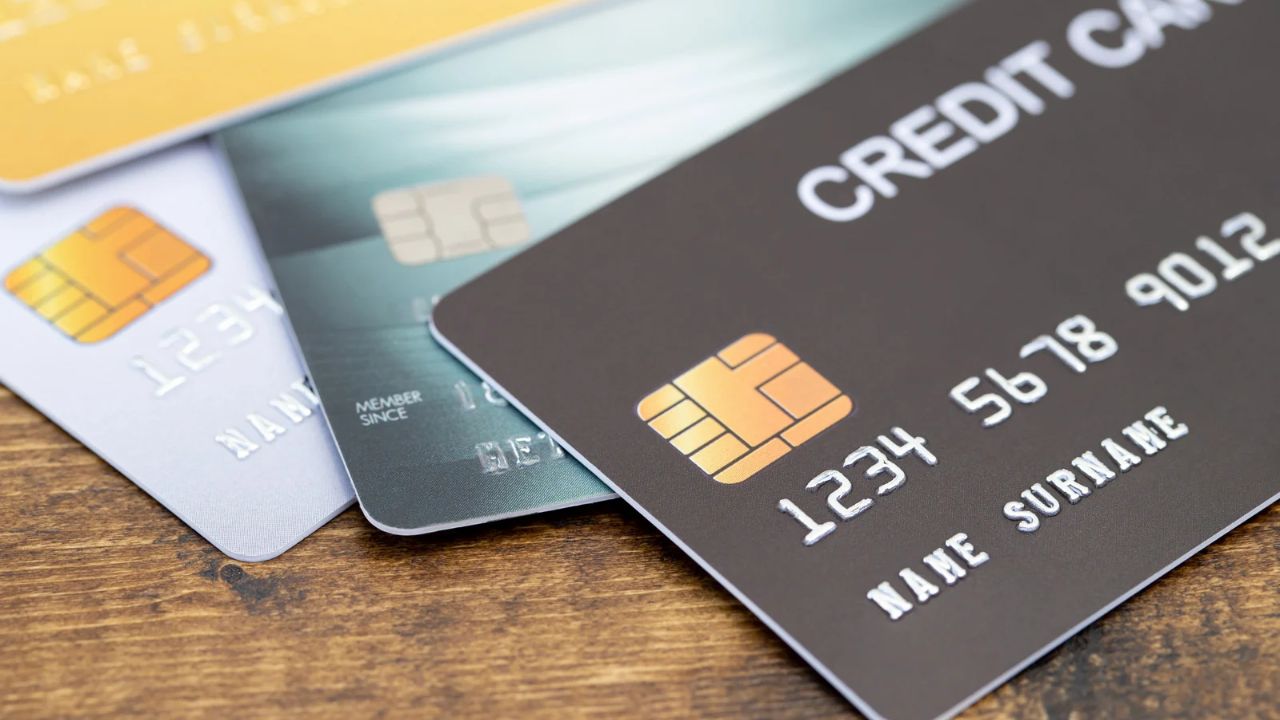
Example scenario: your bank texts you about a suspicious charge at a store you have never visited. You freeze the card, the bank ships a replacement, and over the next three weeks your music app, cloud storage, password manager, news site and a forgotten fitness app all fail to renew, one by one. Some pause your account, one deletes your playlists after a grace period, and you spend an evening updating card details on eleven websites.
That chain reaction is the hidden cost of putting every subscription on the card you carry in your wallet. This guide compares a virtual card vs physical card for recurring online payments, looks at where each one is the better fit, and walks through a simple setup that keeps renewals running when something goes wrong.
What is the difference, in practice?
A physical card is the plastic or metal card you use in shops, at ATMs and online. A virtual card is a card number, expiry date and security code issued without plastic. You view it in an app or dashboard and type it into checkouts, or add it to a phone wallet.
The type of account behind the card (debit, credit or prepaid) matters as much as the format. A virtual card can be a second number on your bank account, an extra number on a credit card, or a separate prepaid card with its own balance. Keep that in mind when you read the comparison below.
Side-by-side comparison
| Factor | Physical card | Virtual card |
|---|---|---|
| Exposure if a subscription site is breached | The card you use everywhere is exposed | Only that virtual number is exposed |
| Risk of card replacement | Higher: lost, skimmed or compromised in shops and online | Lower: only used online with the merchants you chose |
| Effect of a replacement on subscriptions | Every subscription on it can fail at once | Only subscriptions on that number are affected |
| ATM and in-store use | Yes | In stores only through a phone wallet, where supported; usually no ATM use |
| Ease of stopping a merchant’s charges | Freezing affects all your spending | Freeze or delete one number without touching your main card |
| Budget control | Shares your main account or credit limit | Prepaid virtual cards stop at their balance |
| Merchant acceptance | Widest, especially for debit and credit cards | Debit and credit numbers widely accepted; prepaid cards declined by some merchants |
| Expiry | Usually several years, replaced automatically | Varies by provider, from months to several years |
Why physical cards are a weak home for subscriptions
They get replaced more often
The card in your pocket is used at petrol pumps, restaurants and online stores. Each of those is a chance for the number to leak or the card to be lost. When it is replaced, the new number breaks every recurring payment on the old one. Some card networks offer automatic updater services that pass new details to merchants, but not every merchant uses them, so you cannot count on it.
One leak reaches everything
Subscription services store your card number for months or years. If any one of them is breached, the card you use for groceries and rent is the one exposed. Moving subscriptions to a separate number keeps those two worlds apart.
Stopping one merchant means stopping everything
If a service keeps charging after you cancel, your bank may suggest blocking the card. On a physical card, that blocks your daily spending too. On a dedicated virtual card, you can freeze one number and carry on.
Where physical cards still win
- Acceptance: a bank-issued debit or credit card is accepted almost everywhere, including merchants that refuse prepaid cards.
- Card updater services: when your bank replaces a card, some merchants receive the new details automatically.
- Credit card protections: a physical credit card gives you the issuer’s dispute process and, in many countries, legal protections on purchases.
- Offline use: ATMs and shops that do not take phone wallets still need plastic.
Where virtual cards win for subscriptions
- Isolation: a breach or a dispute affects one number, not your everyday card.
- Fewer forced changes: a card used only for online subscriptions is replaced less often, so renewals fail less often.
- Control: you can freeze or retire one card without touching your main account.
- Budget caps: a prepaid virtual card cannot be charged beyond its balance, which limits what a forgotten trial or a price increase can take.
- Wallet use: many virtual cards can be added to Apple Pay or Google Pay, so they can work in stores too. Wallet availability depends on the card issuer and the country. Google’s list of supported countries for Google Wallet is a useful first check.
A practical setup in six steps
- List every subscription. Check your last three months of statements and app store subscription pages. Note the amount, billing day, currency and which card pays it.
- Sort them by importance. Separate the essentials (password manager, cloud storage, work tools) from the nice-to-haves.
- Check each merchant’s payment rules. Some merchants decline prepaid cards. For those, use a bank-issued virtual debit or credit number instead.
- Create one or more virtual cards for subscriptions. One card for all subscriptions is simple. One card per group (work tools, entertainment, family services) gives you finer control.
- Move subscriptions over one by one. Update the payment method on each service, then confirm the next renewal goes through on the new card.
- Set a monthly check. On the same day each month, look at the card balance or statement and remove anything you no longer use.
Common mistakes
- Deleting a virtual card before cancelling the subscription. A declined payment is not a cancellation. The merchant may keep the account open, retry the charge or send the balance to collections. Cancel with the merchant first.
- Letting a prepaid balance run dry. If you use a prepaid virtual card, keep enough on it for the next round of renewals.
- Ignoring expiry dates. Note when each virtual card expires and update subscriptions before that date.
- Mixing currencies. A EUR subscription on a USD card is converted on every charge. Where possible, pay from a card in the currency the service bills in.
Example: a separate prepaid card with Vizovcc
One way to build the setup above is a dedicated prepaid card. Vizovcc sells prepaid virtual cards that you buy from an account balance funded with crypto such as Bitcoin, USDT, USDC or ETH. There is no credit line and nothing to repay, and you do not need a bank account to fund it.
A few details are relevant for subscriptions:
- You can hold several cards in one account, each with its own balance, so work tools and entertainment can sit on different cards.
- Each card can be frozen and unfrozen from the dashboard.
- Card pages show Apple Pay and Google Pay compatibility, so the same card may also work in stores where the wallet is supported.
- Cards support 3D Secure, which many subscription checkouts ask for.
- The catalog includes USD cards and cards in several other currencies, so you can match a card to where a service bills.
There are limits to plan around. Vizovcc is funded with crypto only. Like any prepaid card, it may be declined by some merchants, so test it with one service before moving everything. Card purchases are final, so choose the card and currency carefully. Vizovcc also publishes a guide to its virtual Visa and Mastercard cards with tips for online payments and declined charges.
FAQ
Will a virtual card stop a subscription from renewing?
It can make the renewal fail, but that is not the same as cancelling. Always cancel through the service’s account settings or app store, then remove the card if you want.
Do streaming services accept virtual cards?
Many accept virtual debit and credit numbers. Prepaid acceptance varies by service and country, so check the service’s help page or test with a small balance.
Should I put every subscription on one virtual card?
One card is easier to manage. Several cards give you more control and make it easier to stop one service without affecting the others. Start with one and split later if you need to.
Key takeaways
- A physical card used everywhere is replaced more often, and each replacement can break every subscription on it.
- A virtual card dedicated to subscriptions isolates breaches and lets you stop one merchant without stopping your daily spending.
- Physical bank cards still win on acceptance and, for credit cards, dispute protection.
- Prepaid virtual cards add a budget cap but need their balance topped up and are not accepted everywhere.
- Cancel with the merchant before you delete any card.
Pick one subscription this week and move it to a separate card, then watch the next renewal go through. If a crypto-funded prepaid card suits you, have a look at Vizovcc and choose a card in the currency your subscriptions bill in.